How to use Google Meet in meeting rooms and various conference spaces? ~Neat Webinar~

Neatframe
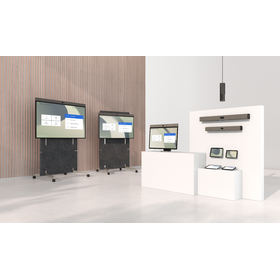
The meeting app used within the company is Google Meet, but I don't know how to use it better in the conference room. For such customers, we will invite a Google representative to Neat's Experience Center to teach us how to utilize Google Meet. Neat is, of course, a Google Workspace certified device. Enjoy a tour of about 30 minutes. Agenda: 1. Device Introduction: Lineup of Board, Bar, Pad, and Center, and the four modes 2. Workplace Integration: Searching for available conference rooms, visitor reception, and reservation display in front of conference rooms 3. Standard Conference Rooms: Bar Gen 2 and Pad Pro, Android-based Google Meet 4. Huddle Spaces: Board 50, BYOD, and whiteboard integration 5. Focus Booths and Desks: How to use the new product Board 32 6. Large Conference Rooms and Executive Meeting Rooms: Individual framing with Bar Pro and Center 7. Auditoriums and Open Areas: Neat Focus that differentiates between the podium and the audience 8. Summary: The meeting experience expanded by Google Meet and Gemini
-
Date and time Tuesday, Dec 01, 2026 ~ Thursday, Dec 31, 2026
05:00 PM ~
It is an archived webinar that can be viewed anytime after 5 PM on December 1st. - Entry fee Free